Google Play Games Services (GPGS) v2 ile entegrasyonumuzu kısa süre önce güncelledik. Google tarafındaki değişiklikler nedeniyle, oyunlardan doğrudan çıkış yapmak artık desteklenmemektedir. Ancak Google, oyunu oynamak için kullanılan hesabı değiştirmek için iki resmi yol sunmaktadır.
1. Seçenek: Android sistem ayarları üzerinden hesabı değiştirin
Bu yöntem, Android'in yerleşik Google Play Games ayarlarını kullanır.
Android cihazınızda Ayarlar'ı açın
Google'a dokunun
Tüm hizmetlere dokunun
Google uygulamaları için Ayarlar → Bağlı uygulamalar menüsüne gidin
Oturum açma hesabına dokunun ve kullanmak istediğiniz hesabı seçin
👉 Resmi Google belgeleri: https://support.google.com/googleplay/answer/14754238
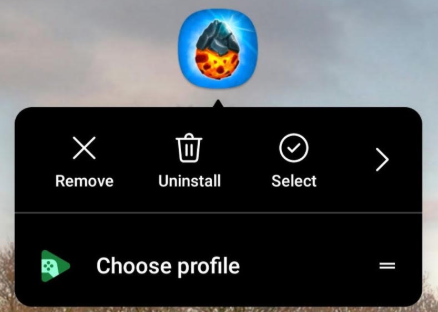
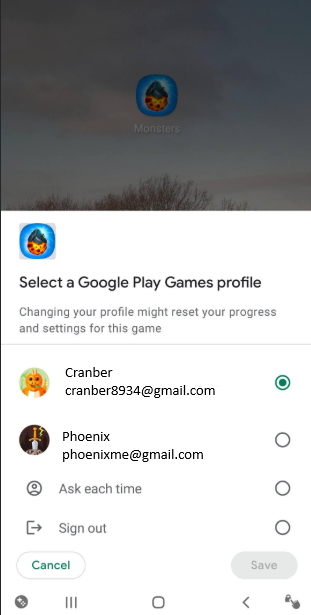
2. Seçenek: Uygulama simgesinden doğrudan bir profil seçin (önerilir)
Oyunun uygulama simgesine uzun basın
Profil seç'e dokunun
Kullanmak istediğiniz Google Play Games profilini seçin