We recently updated our integration to Google Play Games Services (GPGS) v2. Because of changes on Google’s side, logging out directly from games is no longer supported. However, Google provides two official ways to switch the account used to play the game.
Option 1: Change the account via Android system settings
This method uses Android’s built-in Google Play Games settings.
Open Settings on your Android device
Tap Google
Tap All services
Go to Settings for Google apps → Play Games
Tap Sign-in account and select the account you want to use
👉 Official Google documentation:
https://support.google.com/googleplay/answer/14754238
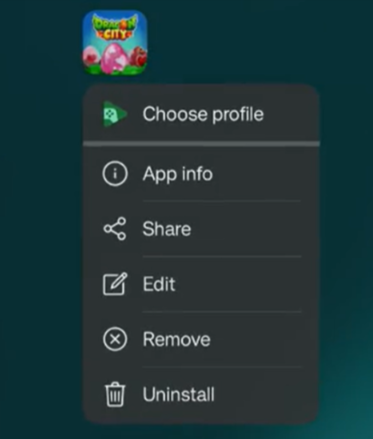
Option 2: Choose a profile directly from the app icon (recommended)
Long-press on the game’s app icon
Tap Choose profile
Select the Google Play Games profile you want to use